
An Abridged iPhone 18 Pro Review
Brevity comes easy this year
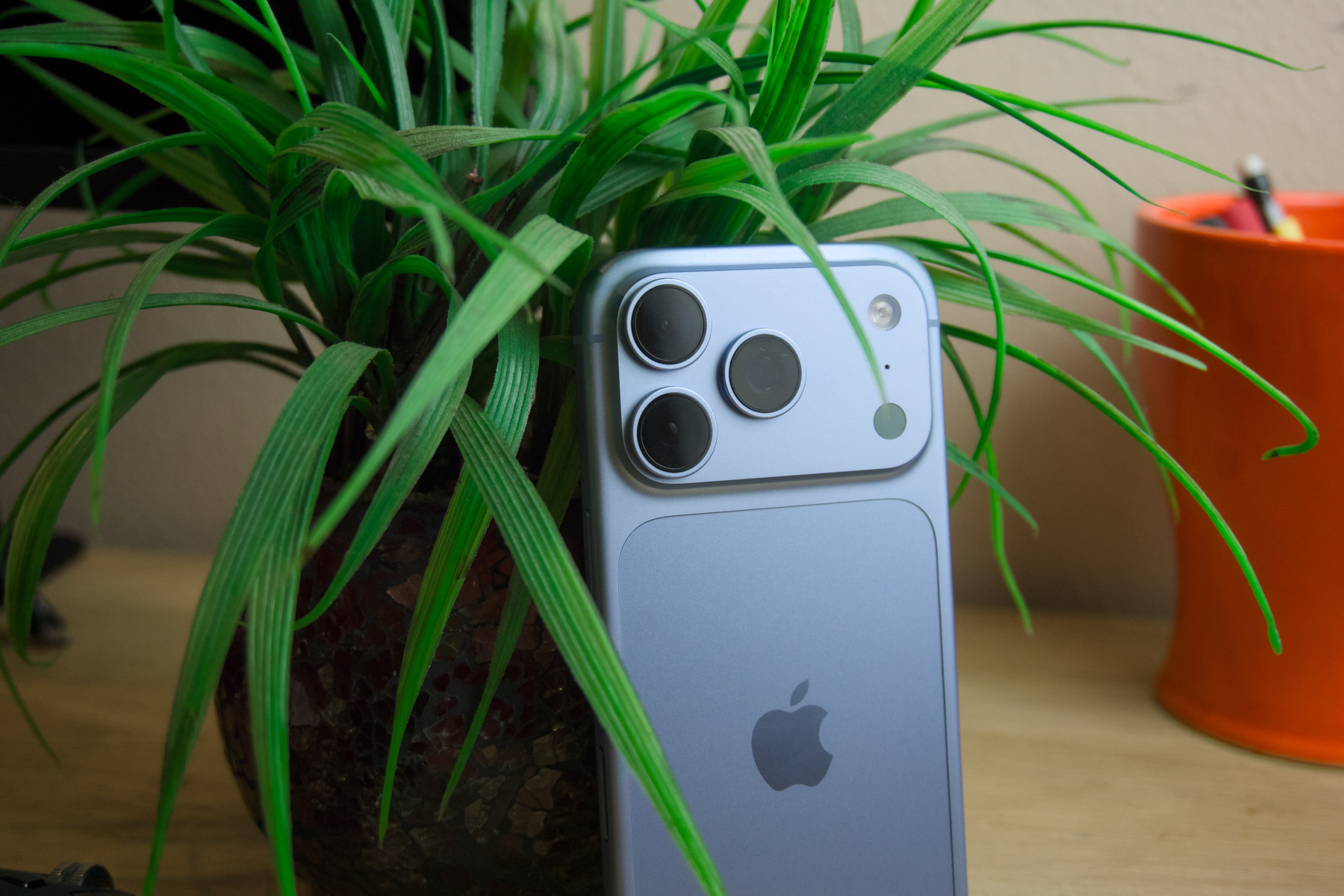 iPhone 18 Pro.
A few weeks after this article’s publication, a much more exciting iPhone will go on sale: iPhone Duo, the hotly anticipated foldable iPhone that leaves room for many more words and photographs. But its flagship sibling, iPhone 18 Pro, deserves at least a few notes. There’s not much to discuss here, but the little there is makes iPhone 18 Pro the default iPhone to buy heading into the busy holiday season.
I’m keeping this review short — much shorter than my annual iPhone reviews typically are — because, again, there’s just so little ground to cover. Frequent readers know my usual spiel about how each iPhone generation is a refinement and perfection of the last, and this year’s model is no different, honing the tried-and-true iPhone design. It reduces the size of the now four-year-old Dynamic Island, adds new Photographic Styles, introduces a variable-aperture main camera, and improves battery life and performance. It’s easy to discount these updates, but they truly make a difference in day-to-day use.
So that’s what I’ll focus on: performance, Photographic Styles and the camera, and the Dynamic Island. And I promise it’ll be succinct. Brevity comes easy this year. John Gruber said it right at Daring Fireball: iPhone 18 Pro is boring, but in a very good way.
Performance
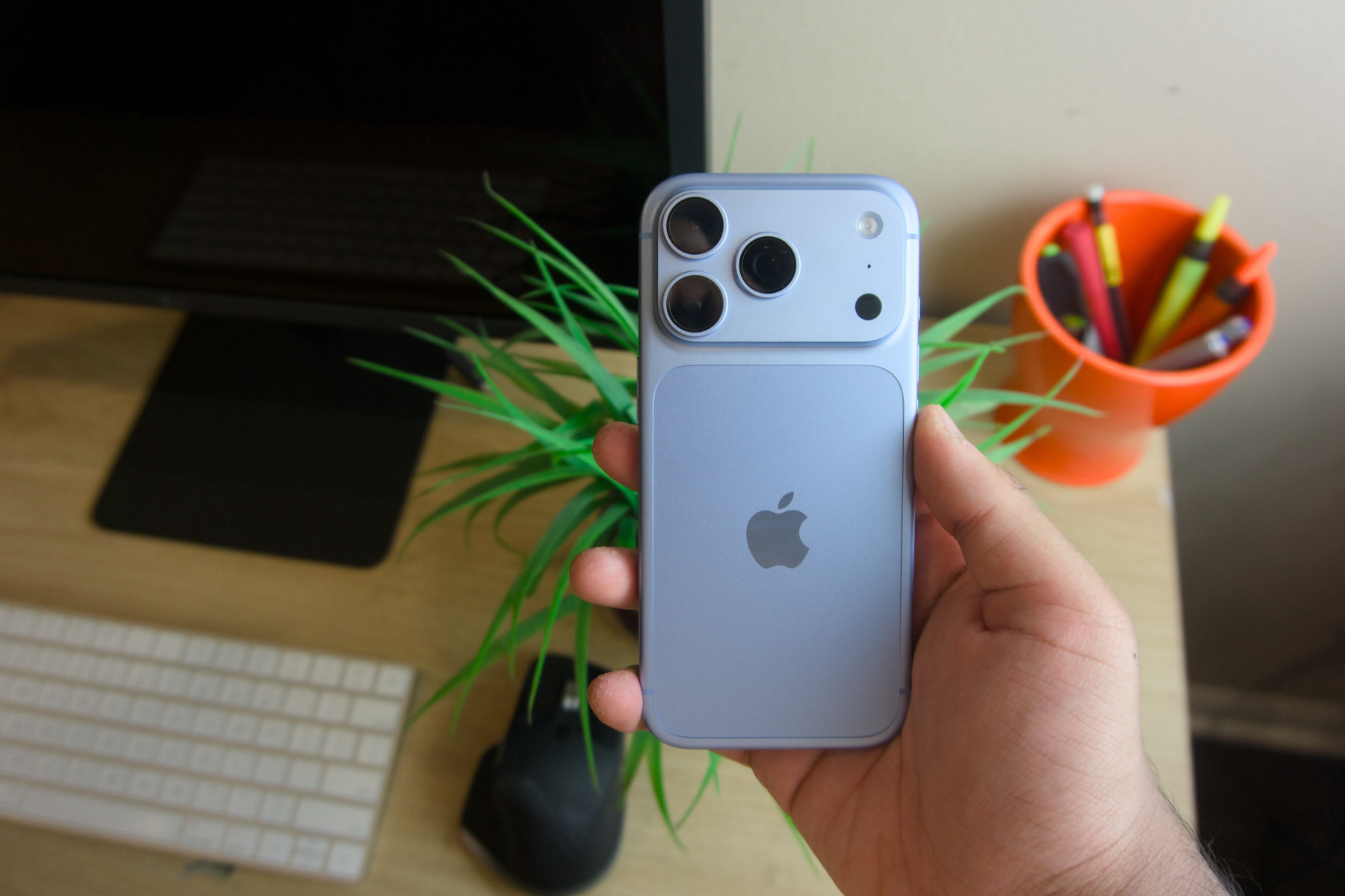 iPhone 18 Pro runs noticeably cooler.
I haven’t written about an iPhone’s performance in five years; the last time was when I reviewed iPhone 13 Pro in 2021. Modern iPhones are so performant that there’s almost nothing to remark on from year to year, but this year’s A20 Pro system-on-a-chip is remarkable — so remarkable that it unquestionably deserves space in this short review. The A20 Pro is Apple’s first semiconductor design built on Taiwan Semiconductor Manufacturing Company’s 2-nanometer process, marking three years since the last process transition. I was wary of this in my event impressions article from September, since the A17 Pro and M3 processors infamously suffered from growing (shrinking?) pains, namely thermal throttling and poor battery life.
I’m delighted to report that the A20 Pro is an leap over its predecessor in every dimension. App launches are noticeably faster than on my last-generation iPhone 17 Pro, even on the iOS 27 beta. The new processor also yields significantly better battery life generation over generation, and I’ve been unable to deplete the phone’s battery even after a day and a half of heavy use. Charging speeds are also markedly faster with a high-wattage power adapter: Using the 96-watt one that came with my MacBook Pro, I was able to charge the device from 0 to 80 percent in about 45 minutes, and from 0 to 50 percent in less than 20 minutes. Fast charging is such a useful quality-of-life feature, and Android flagships have had it for years.
Perhaps the most noticeable improvement — and the most heavily marketed — is the expanded vapor chamber cooling assembly inside the device. My iPhone 17 Pro, in contrast to its titanium predecessors, would not get warm unless it was either charging wirelessly or running the camera for a while. iPhone 18 Pro never overheats, even with the camera in use. It still gets warm when, say, filming 4K video, but it never throttles or becomes too uncomfortable to hold, even while fast charging. TSMC’s 2-nm process is rock-solid, and the A20 Pro combined with the improved cooler makes for a welcome upgrade. Anyone with a 3-nm iPhone will instantly notice the difference from the moment iOS restores from a backup. (That has always been my litmus test for whether an iPhone is thermally compromised.)
Photographic Styles 3 and the Variable-Aperture Main Camera
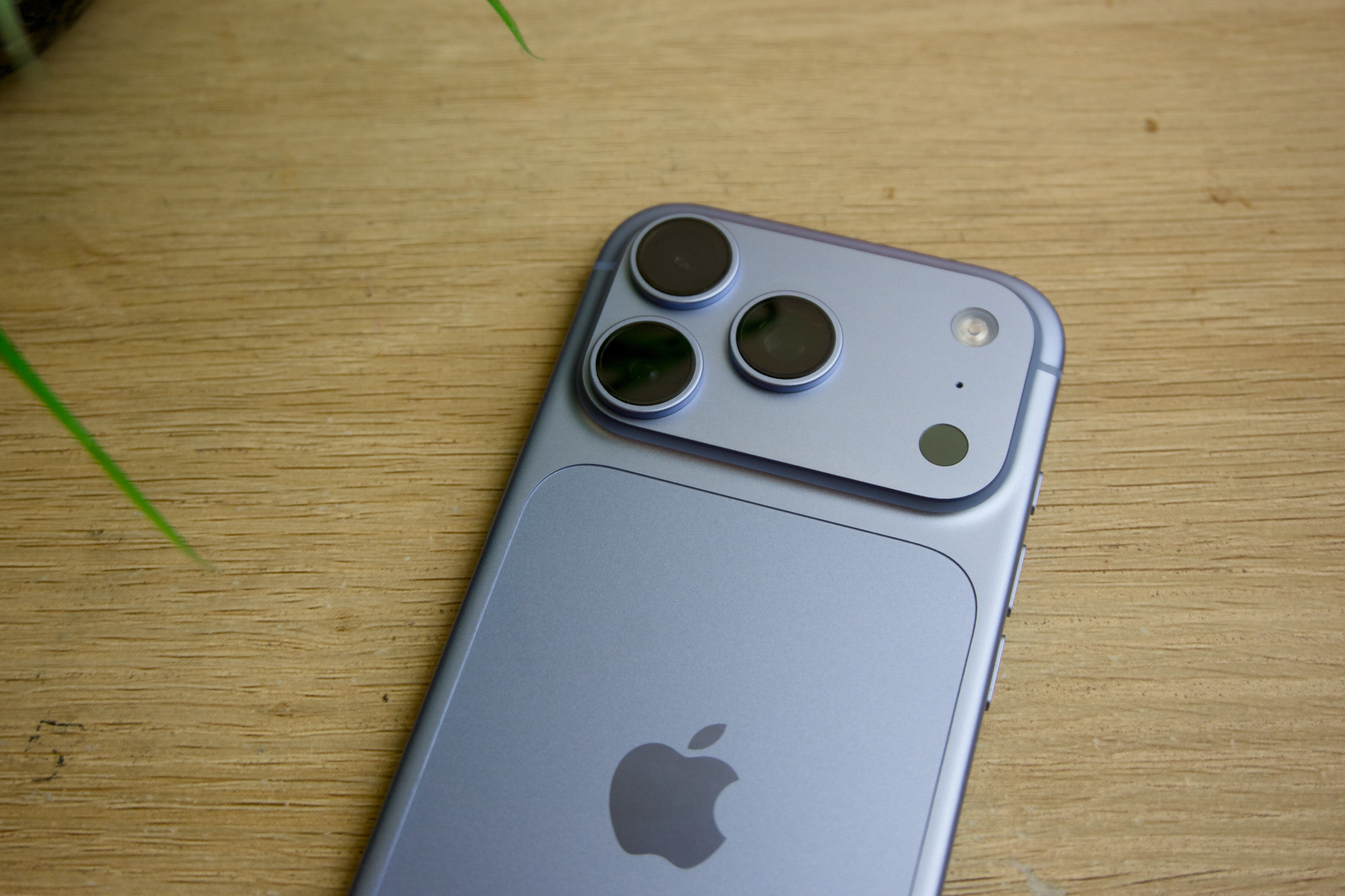 iPhone 18 Pro’s cameras are improved over last year.
The standout new hardware feature of this year’s iPhone generation is the variable-aperture main camera lens. Aperture refers to how much light the camera lets in, measured in f-stops: A lower number, like 𝑓/1.8, indicates that more light hits the sensor, while a higher number, like 𝑓/4.0, means the lens is more constricted. Aperture is one of the main levers of photography, alongside shutter speed, ISO, and focal length. It also determines the depth of field in an image, and with it, the amount of bokeh. A lower f-number yields a blurrier background, known as a shallow depth of field.
Most smartphone camera lenses, including those on prior iPhones, have a fixed aperture, usually somewhere in the middle to accommodate both bright and dark scenes. Aperture is a physical attribute of the lens not controlled by software, and so iPhone 17 Pro and iPhones before it had a fixed main camera aperture of 𝑓/1.78. iPhone 18 Pro introduces a variable-aperture camera lens through small blades arranged in a circle in front of the camera sensor. These blades can be expanded or contracted electronically with electromagnets to let in more or less light. The result is that iPhone 18 Pro’s main camera can shoot at four apertures, selectable in the Camera app: 𝑓/1.48, 𝑓/1.8, 𝑓/2.8, and 𝑓/4.0.
iOS defaults to 𝑓/1.8 in most scenarios, mimicking the hardware-defined aperture from years prior. That aperture was chosen for its versatility across a variety of scenes, and it works well most of the time. In low-light conditions, iOS automatically chooses 𝑓/1.48 and shortens the Night Mode exposure time to just a second or two. This accomplishes two things: (a) iOS no longer requires people to hold their phones steady for as long when taking a photo in the dark, and (b) the resulting photos look more natural, since more light physically reaches the sensor and the camera relies less on ISO. Night Mode stitches multiple photos of different exposures together to produce a brighter image. Standalone cameras adjust exposure using a combination of shutter speed, ISO, and aperture, and iPhone 18 Pro lets iOS modify that third variable, making Night Mode more effective.
The results are subtle but stunning. iPhone 18 Pro captures low-light shots almost as well as standalone mirrorless cameras with large sensors. In dark scenes, the muddiness and noise that came with software processing and artificial light are reduced, and lights are more vibrant. In more moderate lighting, colors appear livelier and almost more saturated, while shadows are more luminous. In bright environments, like a midday landscape, grass and trees appear brighter and sharper. Again, the differences between generations are tenuous, but the added flexibility when shooting makes iPhone 18 Pro that much better a day-to-day camera. I’ve captured some genuinely gorgeous shots, both indoors and outdoors.
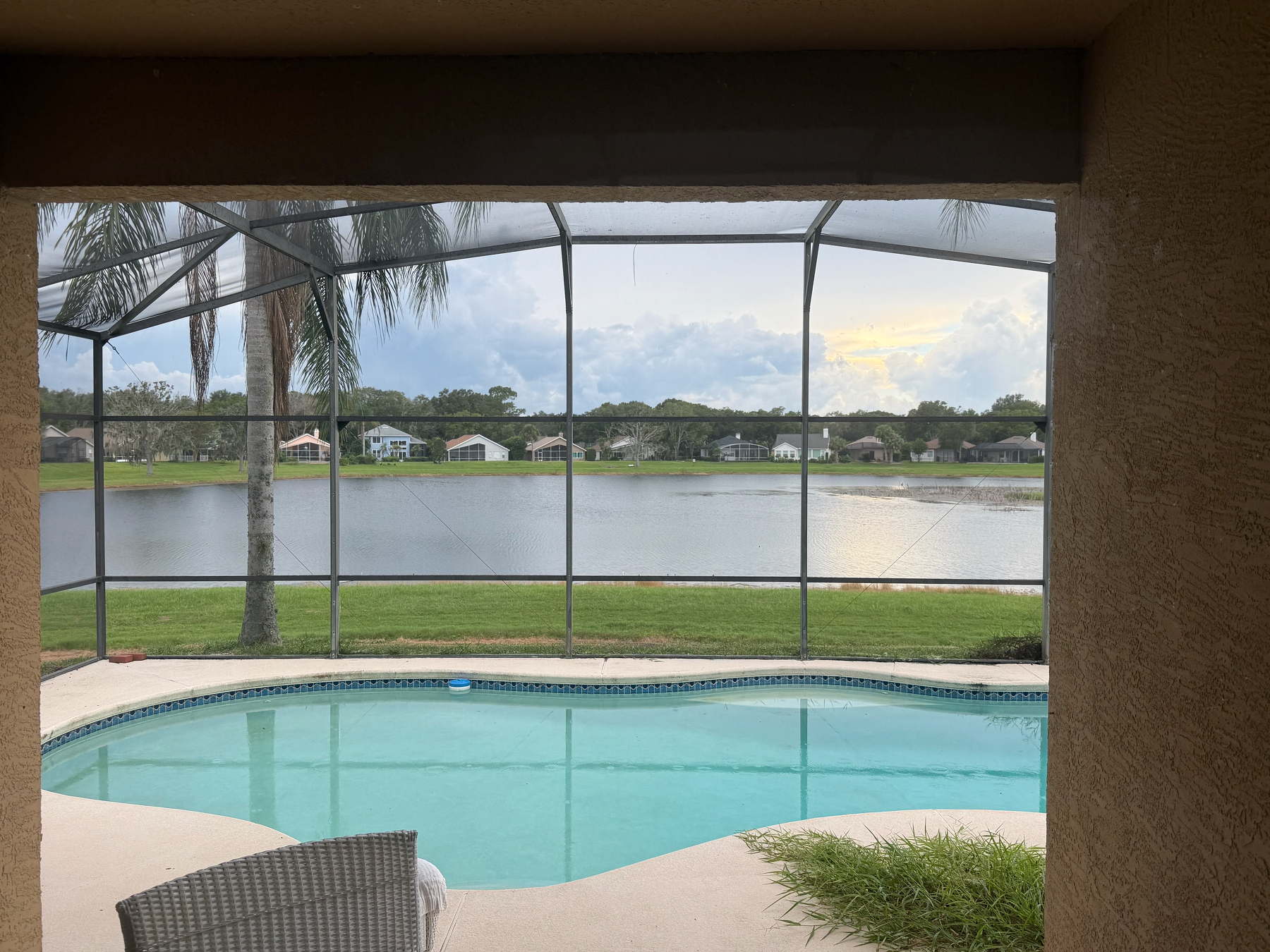





Photographic Styles have been one of my favorite iPhone camera features in recent years, and this year’s updates, in tandem with the variable-aperture lens assembly, make them even more compelling and more fun to shoot with. The new Photographic Styles add a separate tab for adjusting texture, alongside the Tone, Color, and Palette controls introduced two years ago. The three options are Soft Skin, Glow, and Film, and Film seems the most worth using. (Soft Skin and Glow seem like they’ll be popular on Instagram.) For each effect, you can tune the intensity and add or remove film-like grain. (You cannot combine effects.) The Film effect adds grain automatically, and its intensity slider controls how much. Even with grain turned off, selecting Film tweaks the image’s colors to look more artisanal.
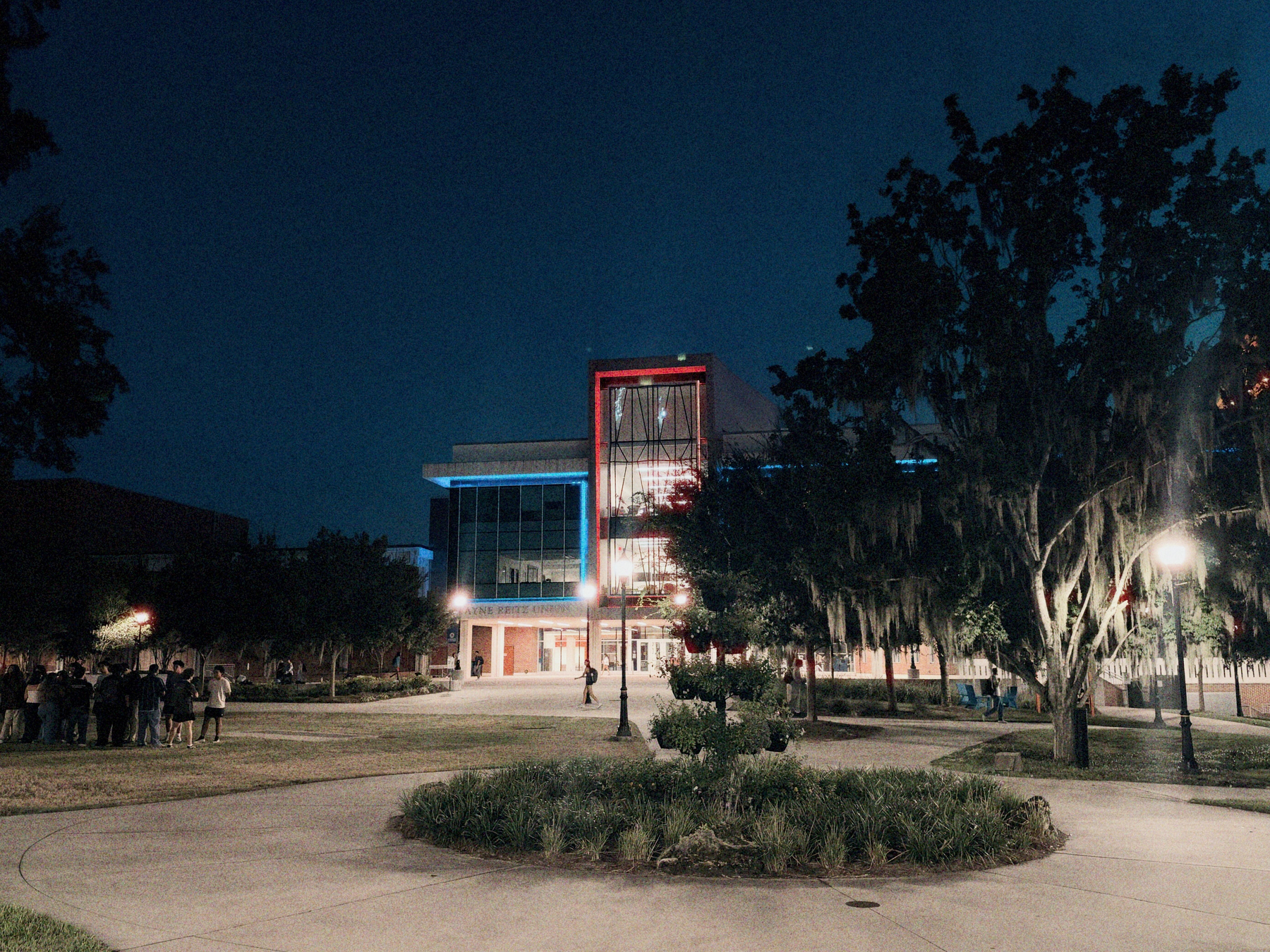 Dramatic + Film, taken on iPhone 18 Pro at 𝑓/1.48.
Many of the old preset Photographic Styles now include the new effects; for instance, Amber is now Amber + Glow. It’s possible to remove these effects if you don’t want them — the “undertones,” as the color selections are called, are independent of the effects. Modifying a Photographic Style saves it for later use. As I said in my iPhone 16 Pro review, I think the editor for modifying Photographic Styles makes a lot more sense on the Mac, where the various selections are laid out more logically. There are 16 undertones to choose from — effectively color profiles made by Apple. From there, you can adjust the Tone, Color, and Palette, or add the Soft Skin, Glow, or Film effects. On iOS, all of these controls are buried behind various unintuitive context menus, and as Photographic Styles grow more complex, I think this interface needs an overhaul.
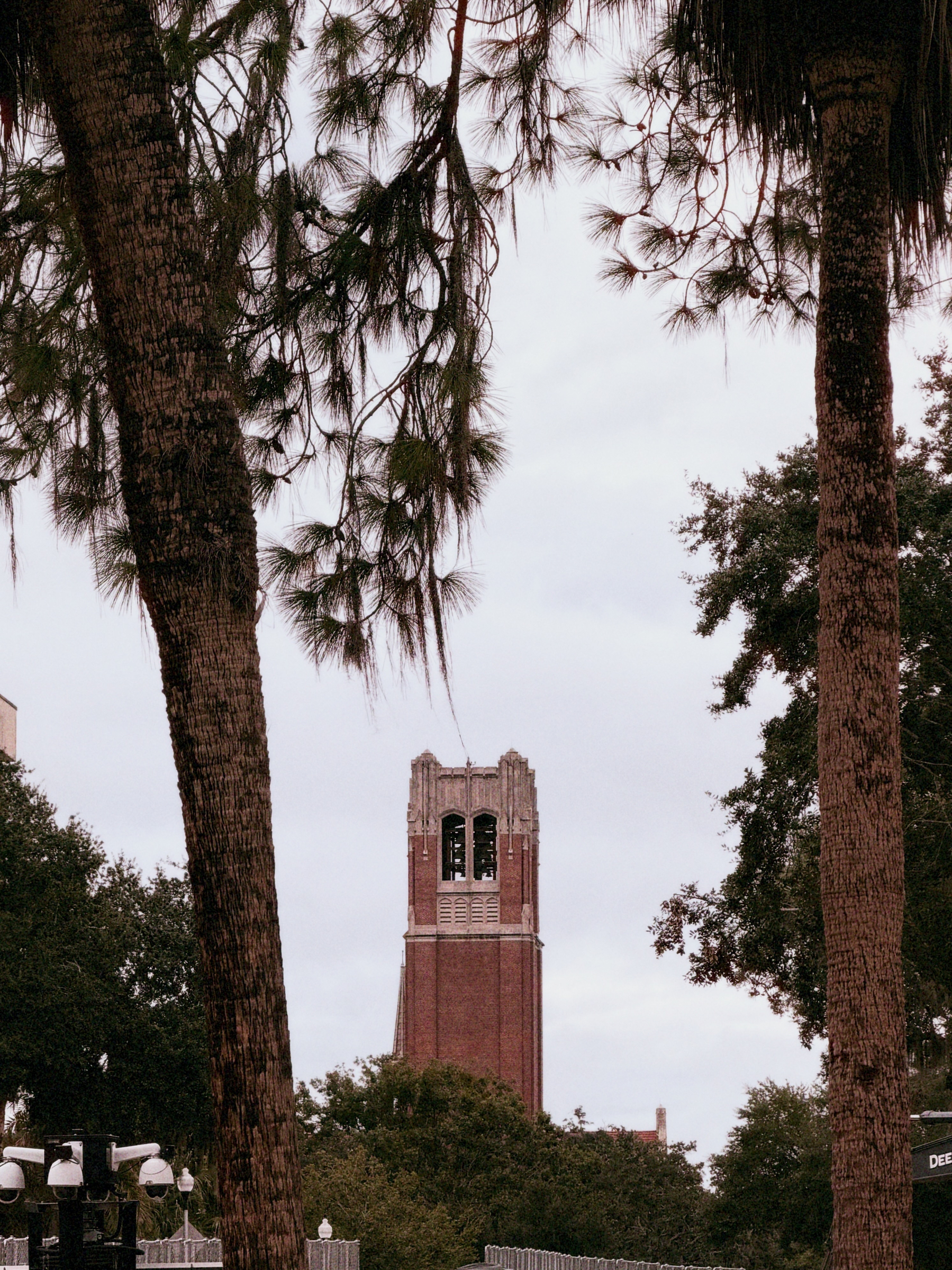 Cozy + Film, taken on iPhone 18 Pro.
The new Photographic Styles are a joy to shoot with, but I find it odd that they’re unavailable on older iPhones. My guess is that the computational image pipeline has been reworked such that only iPhones with more Neural Engine cores can shoot photos compatible with Photographic Styles 3, but I don’t fault anyone who sees this as an intentional cash grab. The new Photographic Styles can be edited on an older iPhone or Mac running iOS 27 or macOS 27 Golden Gate, but the photo must have been taken with a new iPhone.
 Rose Gold + Film, taken on iPhone 18 Pro.
 Bright + Film, taken on iPhone 18 Pro.
The new Camera app is also needlessly confusing and hides this year’s most prominent feature behind yet another context menu. The main Photo tab indeed has an f-stop icon (𝑓) to the left of the shutter button, but this only toggles the artificial Portrait Mode, which, as I’ve said in many past iPhone reviews, is unnecessary. iPhone 18 Pro has an even shallower depth of field thanks to the 𝑓/1.48 aperture, further undercutting Portrait Mode, so I just don’t see why it deserves such a conspicuous spot. The Camera app in iOS 27 does allow some toolbar customization, but it’s impossible to swap this Portrait button for something else. For now, I’ve customized the toolbar to drop Live Photos — who uses those? — and add manual aperture control. For all other customization, I use Halide, which recently gained manual aperture control, too.
iPhone cameras have progressed so far that hardly anyone carries around a point-and-shoot anymore. That doesn’t mean I don’t own a proper mirrorless camera — I used it to take the photos for this review — but I reach for it far less than I did even six years ago. This year is no exception to the steady stream of camera improvements Pro-model iPhones have enjoyed, and I think anyone upgrading will appreciate the latest batch.
Dynamic Island
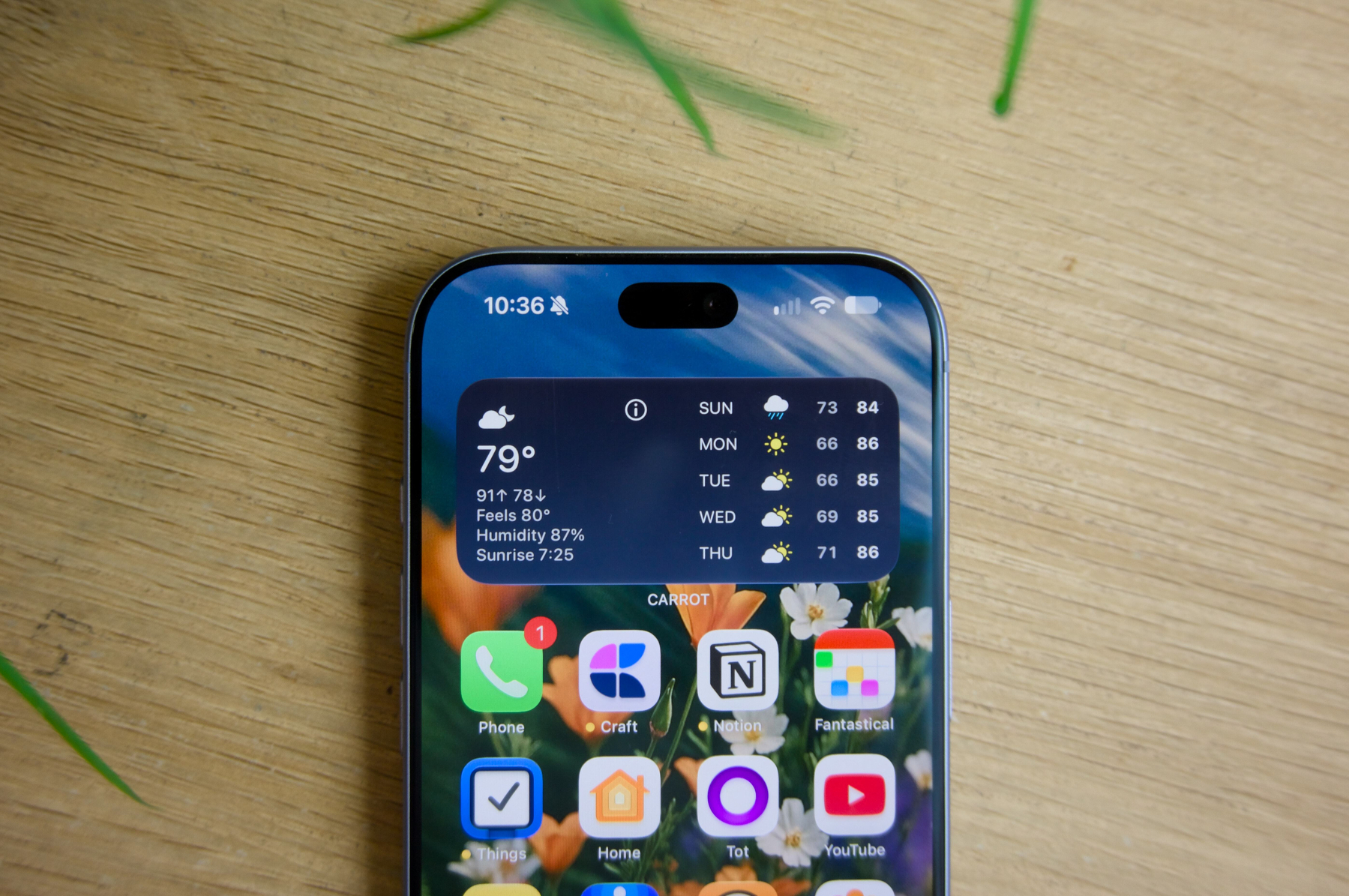 iPhone 18 Pro’s Dynamic Island is now smaller.
The Dynamic Island has become one of the most beloved iPhone features in recent memory, so much so that I’ve never once complained about its size, nor heard anyone else comment on it. This stands in direct contrast to the notch from iPhone X to iPhone 13, which was briefly shrunk only to be foregone entirely for the Dynamic Island. I dare say my iPhone would feel broken without the Dynamic Island, for I find it so useful in the littlest ways. It’s nice to have live sports scores, Now Playing, or other at-a-glance information pinned to the top of the screen at all times.
This year, the Dynamic Island — by virtue of its reduced horizontal footprint — can display three Live Activities simultaneously, with an asterisk: Two of those Live Activities can be from third-party apps, but at least one must be from a first-party service, like Now Playing or Screen Recording. I’m perplexed by this limitation, because the third Live Activity space is no smaller than the minimal appearance third-party apps were forced into when two Live Activities ran on pre-iPhone 18 models. On iPhone 18 Pro, the size classes now work as follows:
-
One Live Activity: apps can use the full status bar — both the leading and trailing sides — to display content.
-
Two Live Activities: apps can take only one side, but the Live Activity needn’t be minimal, as described in Apple’s Human Interface Guidelines. (In prior generations, apps were forced into their minimal appearance.)
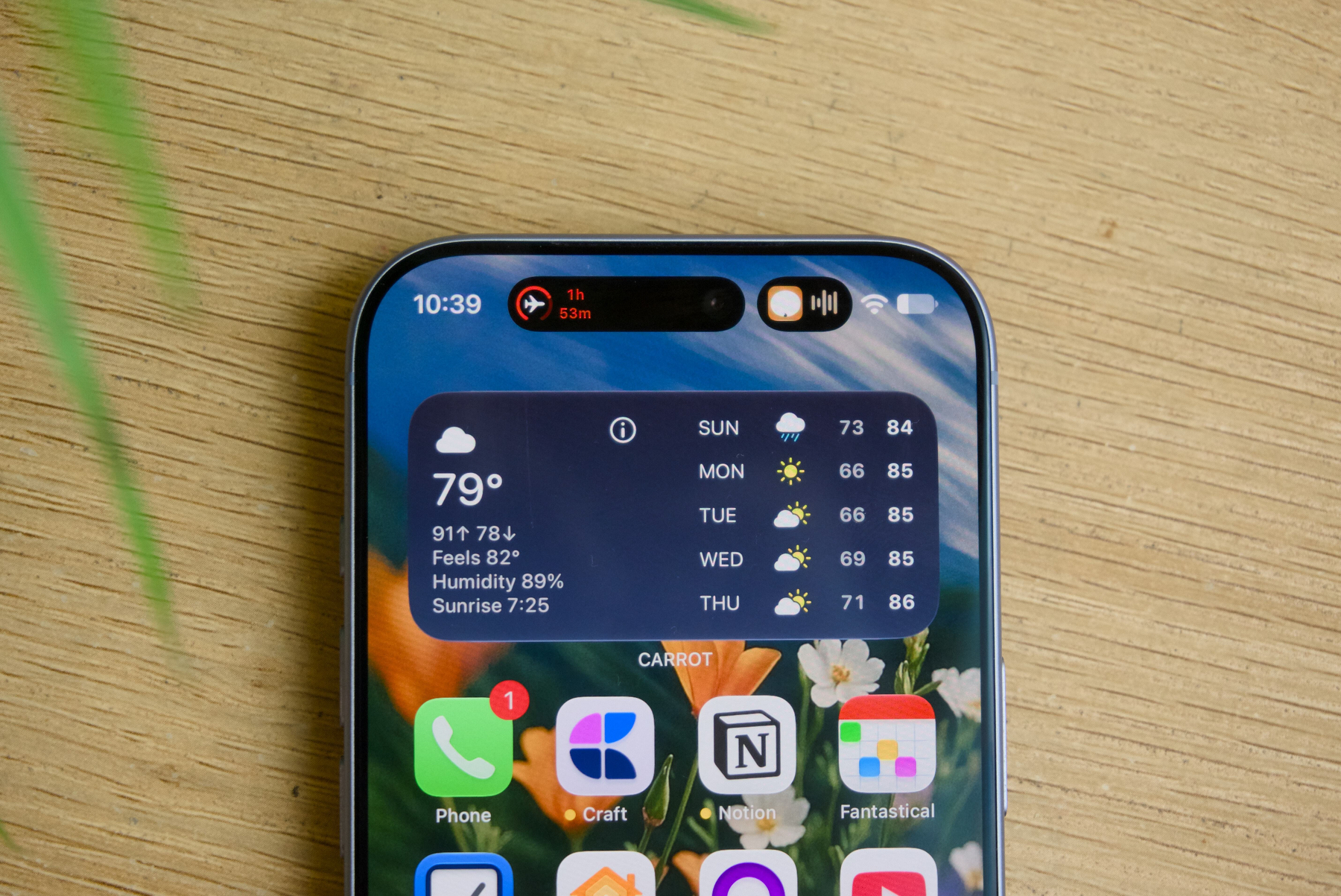 Two Live Activities.
- Three Live Activities: two apps and one system Live Activity are all displayed in their minimal appearances. (This was not possible in prior generations.)
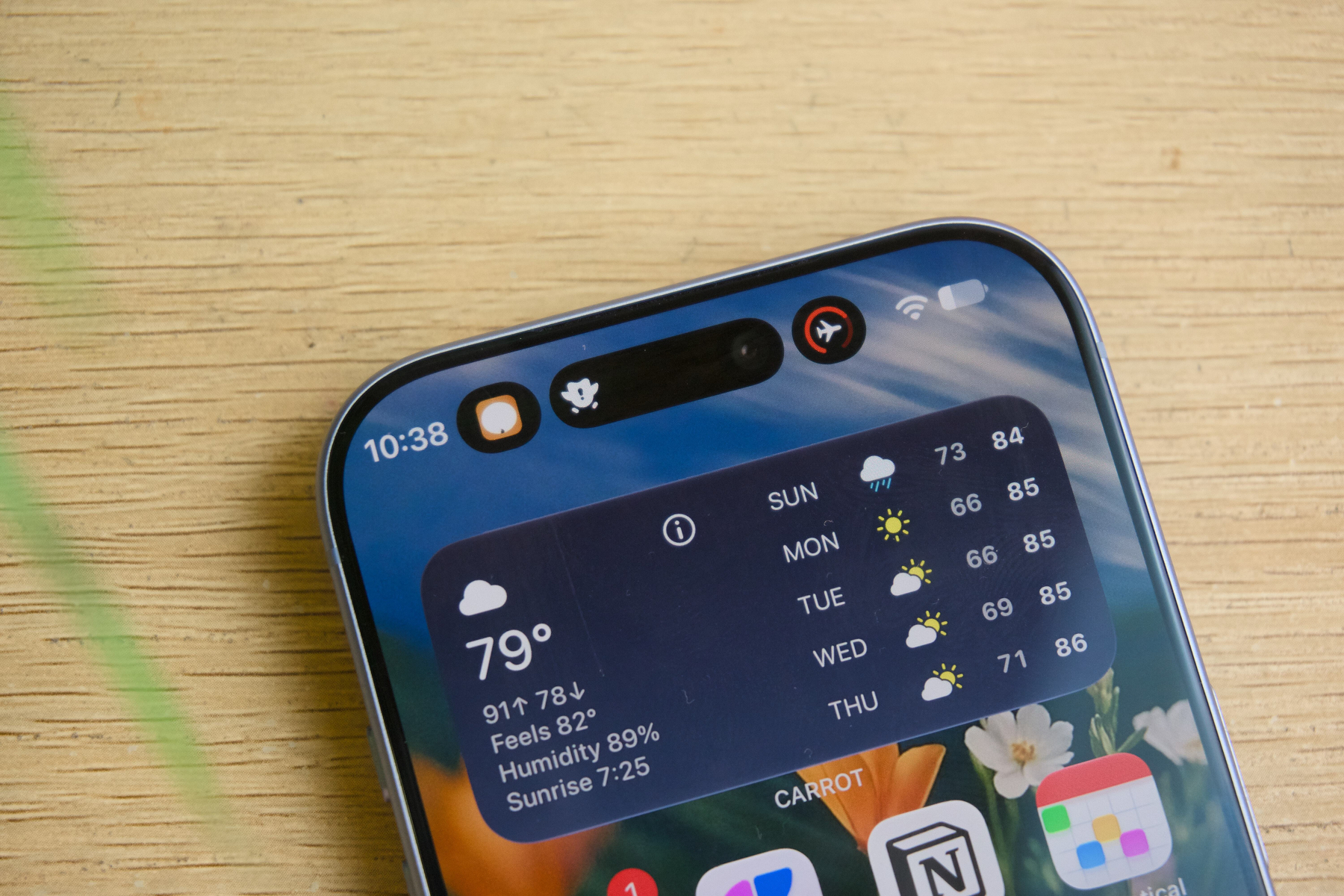 Three Live Activities.
One interesting side note is the placement of the infrared camera on iPhone 18 Pro: It is now under the display and positioned to the left of the Dynamic Island. It’s nearly impossible to tell from photos, but the pixel density in that small circle directly over the time in the status bar is lower than that of the rest of the display. Internet sleuths have made this out to be a much bigger issue than it is — it’s hardly noticeable in typical use — but if you peer closely, it’s definitely visible. I think the bigger Live Activities make up for the small loss in pixel density over the clock’s minute digits.
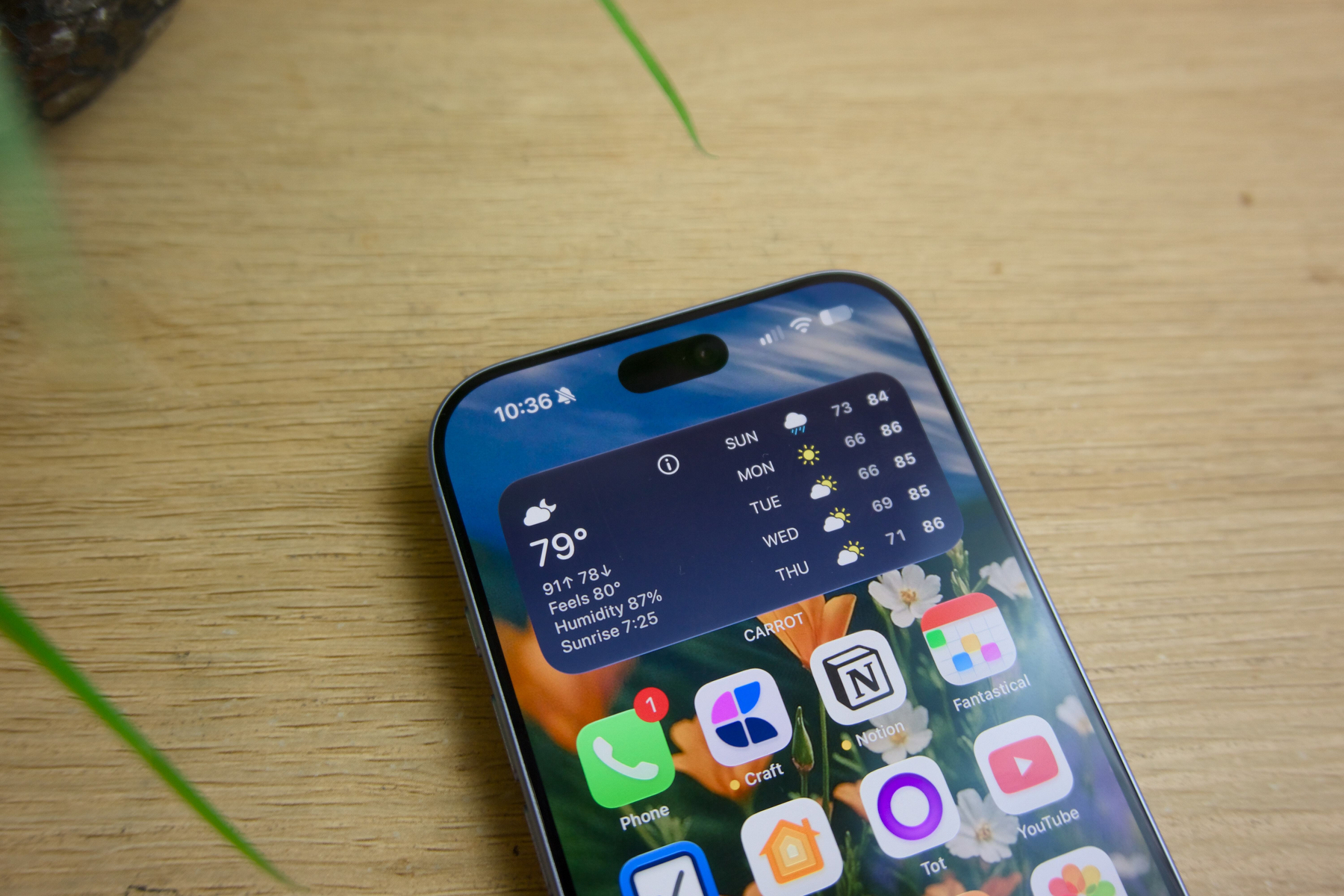 The infrared camera is invisible from nearly every angle.
Miscellany
-
The C2 cellular modem, available in all international models and U.S. iPhones 18 Pro (not Max), is just about as reliable as the Qualcomm modem before it. I don’t notice any more or fewer bars of Verizon service in my suburban neighborhood, and speeds are roughly the same on 5G C-band; there’s nothing to worry about here. The transition to Apple modems was always about efficiency, not performance, and all C-series modems have done exceptionally well, even making iPhone Air last all day with 5G. Word on the street is that Qualcomm’s contract with Apple stipulates that, until the contract expires, at least one iPhone model must use a Qualcomm modem, and the U.S. iPhone 18 Pro Max is the result of that lawyering.
-
This is the first year I didn’t buy the “flagship” Pro iPhone color, Burgundy. I have no regrets — the Glacier Blue iPhone is gorgeous. It’s much deeper and more metallic than Sierra Blue from iPhone 13 Pro, and it looks different in every lighting condition — though nothing like the product photos. I’d be a liar if I said it weren’t underwhelming next to last year’s Cosmic Orange bombshell — I’d be astonished if Apple didn’t bring that shade back in a future year — but I’d still recommend Glacier Blue over any of the other colors.
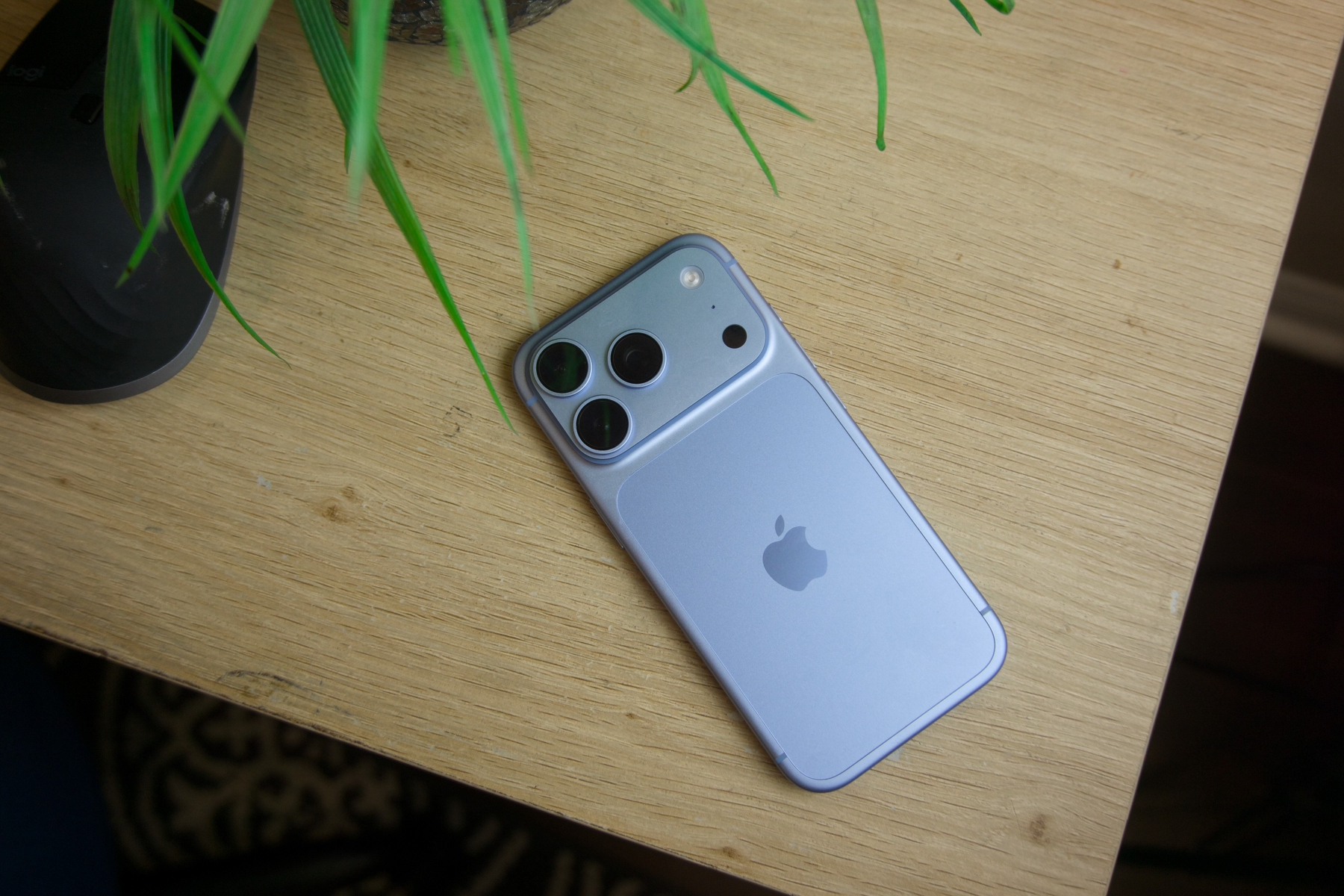 iPhone 18 Pro in Glacier Blue.
iPhone 18 Pro is undoubtedly the flagship iPhone of the year, just as much as any S-model iPhone would have been back when Apple still used the moniker. Even — I’d even say especially — considering the looming iPhone Duo, it’s still the best iPhone, with the best camera, screen, and battery life. If there’s anything to take away from this review, it’s that iPhone 18 Pro is not an iPhone 8 situation, i.e., the last of its kind. iPhone Duo is obviously the more exciting news of the season, but for everyone else, there’s the classic iPhone, and it’s never been better.
I told you I’d be brief.